Prompting Tips & Tools
This section covers practical tips and tools to make prompting more manageable and effective.
💡 Leverage System Prompts
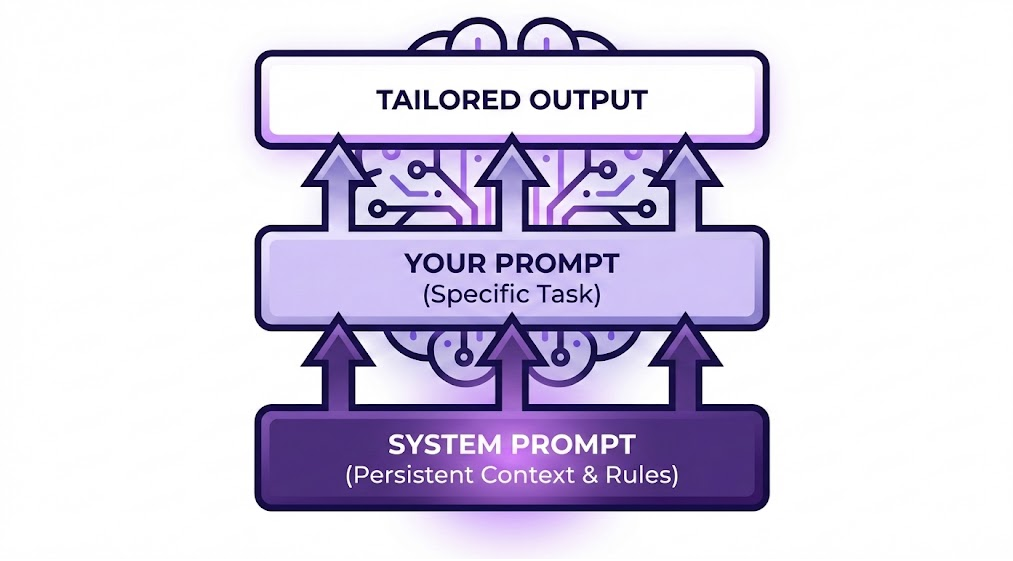
One of the most powerful ways to simplify your prompting workflow is by using system prompts. Instead of repeating the same context in every conversation, configure these settings once.
A system prompt is a set of persistent instructions that you configure once in your AI tool’s settings. It acts like a standing agreement between you and the AI about how conversations should work.
Most modern AI chatbots—including ChatGPT, Claude, Gemini, and others—support custom instructions. Look for settings like “Custom Instructions,” “System Prompt,” or “Preferences” in your AI tool.
What to Include in a System Prompt:
- Your skill level: Beginner who needs detailed explanations, or advanced user who prefers concise responses
- Default programming context: Python with Pandas and Matplotlib for data analysis
- Clarification behavior: Ask questions when the request is ambiguous
- Code style preferences: Formatting, commenting styles, best practices
Example System Prompt:
I am learning data analysis with Python. Please tailor your responses
to a beginner level with clear explanations. When I ask data analysis
questions, respond as an expert data analyst. Always use Python with
Pandas for data manipulation and Matplotlib for visualizations unless
I specify otherwise. If my prompt is unclear or missing important
details, ask me clarifying questions before generating code. Include
comments in code to explain what each section does.
Benefits:
- Save time: No need to repeat context in every conversation
- Maintain consistency: Get responses that match your skill level across all sessions
- Reduce ambiguity: The AI will ask for clarification when needed
- Focus on the problem: Spend less mental energy on prompt structure
✨ Clarity Matters More Than Perfection
You don’t need flawless grammar or perfectly structured sentences. What matters most is clarity of intent. If your prompt clearly communicates what you want to accomplish and breaks down the key requirements, the AI will understand you just fine.
Think of it like talking to a colleague—you wouldn’t write a formal essay every time you ask for help with code. Focus on being clear and specific about your goals.
🔒 Be Mindful of Data Privacy
When crafting prompts that involve datasets, be aware that sharing sensitive information with LLMs raises important privacy considerations.
For comprehensive guidance, see Practicing Responsible AI.
📖 Read Prompting Guides for Specific LLMs
Different LLMs work best when prompted in ways tailored to their architecture. Consulting the creators’ documentation helps you tap into model-specific features:
- GPT (by OpenAI) – OpenAI Prompting Guide
- Claude (by Anthropic) – Anthropic Prompt Engineering Overview
🛠️ Making Prompting More Manageable
You don’t need to apply every technique every time—and trying to do so can actually slow you down. The goal is effective communication, not perfect prompts.
Start simple, then iterate. Begin with a straightforward request. If the response isn’t quite right, refine your prompt based on what was missing. This iterative approach is often faster than trying to craft the “perfect” prompt upfront.
Match your effort to the task. A quick question about syntax doesn’t need the same level of detail as a complex data pipeline request. Save your detailed prompting for tasks where precision really matters.
Reuse what works. When you find prompts that consistently give good results, save them. Copy-paste beats reinventing the wheel every time.
Let context do the heavy lifting. If you’re in a conversation where the AI already knows your dataset structure or project goals, you don’t need to repeat everything. Build on what’s already established.
As you develop your skills, create a prompt folder where you save well-crafted prompts for different needs:
- Data cleaning and preprocessing
- Debugging code
- Creating visualizations
- Statistical analysis
Over time, you’ll develop a personal library of prompts that work well for your specific workflows.